Your brain is for having ideas.
Murmur is for keeping them.
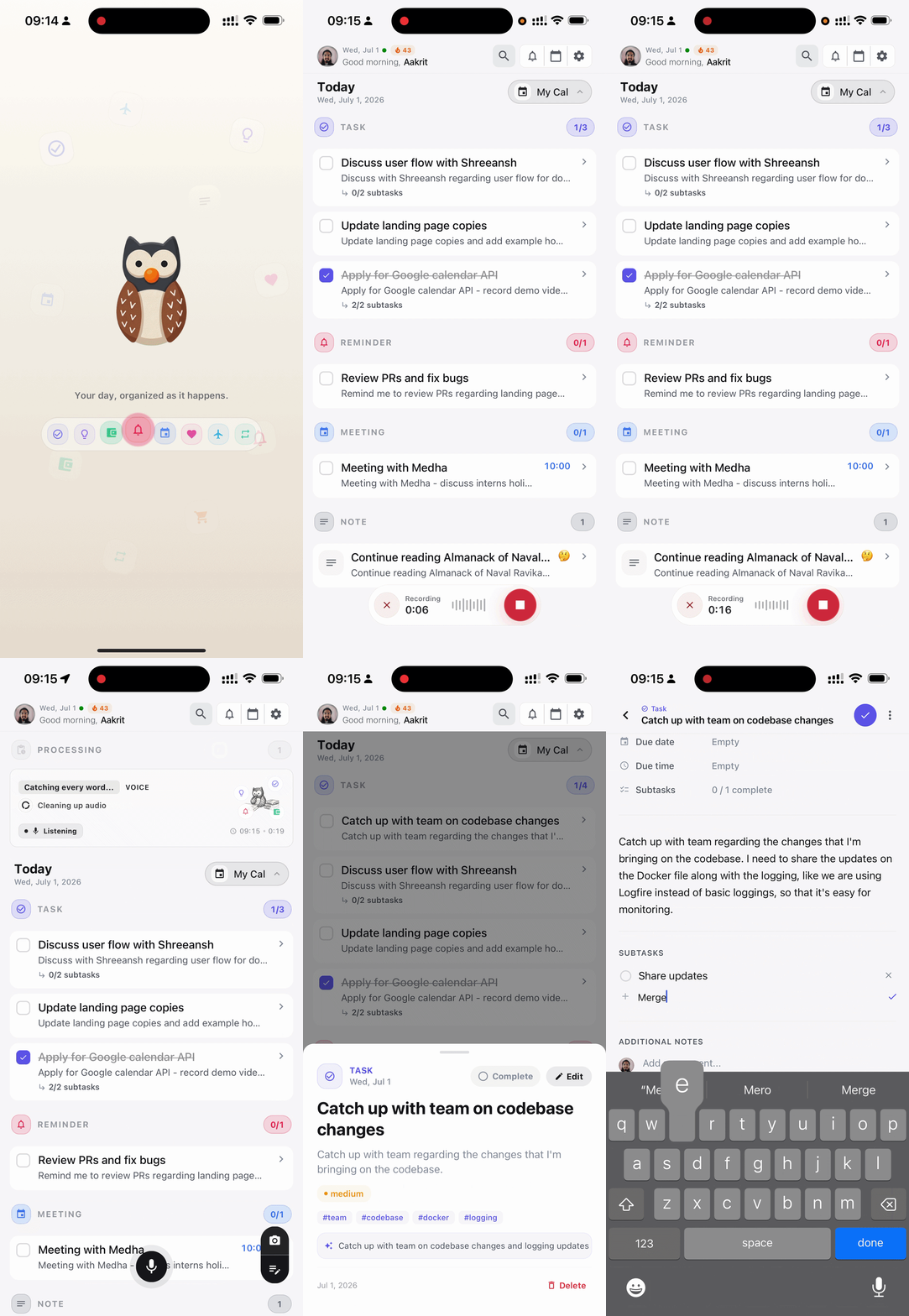
Capture by voice, text, or photo — Murmur turns fleeting thoughts into structured tasks, reminders, and notes that stay connected to your calendar, Notion, and Obsidian.

Murmur is for keeping them.
Capture by voice, text, or photo — Murmur turns fleeting thoughts into structured tasks, reminders, and notes that stay connected to your calendar, Notion, and Obsidian.
Works with your stack
 Google Calendar
 Notion
 Obsidian
Murmur brings it all together and keeps it organized.
Input
Voice
spoken entry
live transcript
Update design of landing page.
Transcribing audio
Murmur AI
Detect whether the capture is a task, memory, reminder, or record.
categories
An idea can start as a voice note, a quick text, or a photo — and still end up in the right place.
Voice
Talk naturally. Murmur keeps up.
Text
Type a thought in seconds.
Vision
Snap receipts, notes, and moments.
Voice, text, and photos land in the same place, so nothing waits on you deciding where it belongs.
Murmur sorts each capture into tasks, reminders, meetings, and ideas — ready to act on.
Entries stay linked to your calendar, Notion, and Obsidian, so plans and thoughts live together.
Entries are stored on your device first, and you control what syncs where.
Open My Day on your laptop, scan the QR from your phone, and your dashboard is ready. View your full day and stay in control of what matters most — all inside the Murmur experience.
Scan pairing code
Point your camera at the QR code shown in the browser
Looking for a Murmur QR code
Connected dashboards
Securely connected
Chrome on MacBook Pro
Active now · synced 2m ago
Safari on iPad
Linked 4 hours ago
Office PC
Synced at 9:00 AM
Link Apple Calendar and Google Calendar. Choose which calendars to show — Murmur only accesses what you allow.
When events change, Murmur surfaces updates in your notification inbox with provider branding.

Month grid, date strip, day navigation. See your entries and calendar events side by side.
Focus on today or zoom out to the full week — switch views to match how you plan.

Entries created, tasks completed, and patterns over the week. Progress, not just to-dos.

See the week. Drill into a day. Jump to any entry.
Permission-based access. You choose which calendars to connect.
One premium membership
Jot with text, speak naturally, or snap what you see. Murmur turns it all into one clear memory stream you can revisit anytime.
Calendar integrations keep your full day in view, so planning and recall feel effortless.
Get Murmur PremiumStart in the app — upgrade anytime.
Monthly
Flexible month to month.
Yearly
$70.29 per year
Our guide walks you through setup, daily use, and connecting Notion or Obsidian as your second brain.
Murmur for iOS is launching soon.
Join the waitlist and we'll email you as soon as it's live.